How to send code in Teams?
Practical steps to send formatted code in Teams chat and channels. Share code snippets, use syntax highlighting, and maintain proper formatting for better collaboration.
Practical steps to send formatted code in Teams chat and channels. Share code snippets, use syntax highlighting, and maintain proper formatting for better collaboration.
Here is how to fix Teams meetings not showing phone numbers. Enable audio conferencing, assign licenses, and configure dial-in settings properly.
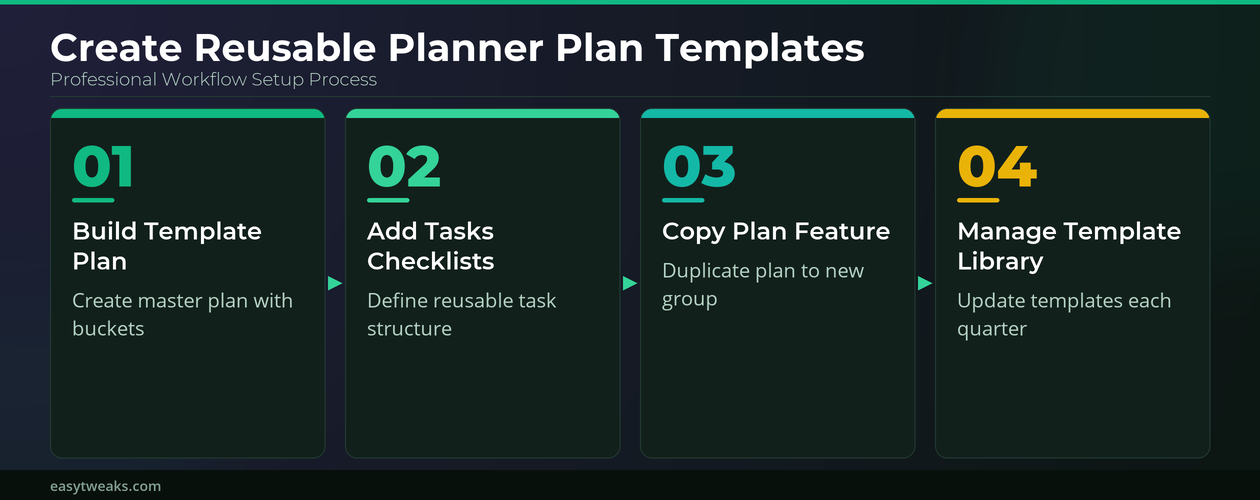
Develop reusable plan templates in Microsoft Planner by copying plans, configuring buckets, and streamlining recurring project workflows effectively.
Step-by-step instructions to promote attendees to presenter role in Teams meetings. Grant full presenter permissions and controls instantly during any meeting.
Proven solutions to lock your Teams meeting and control participant access. Prevent unwanted attendees from joining active calls with step-by-step security controls.
Troubleshoot and fix teams meeting not showing in outlook by checking account type, the Teams add-in, new Outlook integration, and app restart steps.
Get started with resolving Teams sign-in failures. Fix authentication errors, credential issues, and account access problems quickly.
Find out how to integrate SharePoint with Teams for seamless file collaboration, automatic document syncing, and enhanced team productivity across Microsoft 365.
Master the basics of how to add agenda topics to teams meeting. Build structured agendas that keep every participant focused and your meetings productive.
Can Teams present your screen during important meetings? Screen sharing problems in Microsoft Teams can disrupt meetings and presentations at the worst possible moments. When you need to fix Teams screen sharing not working, the issue often stems from permission settings, outdated graphics drivers, or meeting policy restrictions that block the feature silently. This tutorial … Read more