Copilot Chat can disappear from new Outlook while mail continues to work normally. The common causes are identity and entitlement rather than a damaged mailbox: the wrong account is primary, the account lacks an eligible license, the mailbox is shared or delegated, an organization policy hides the experience, or the client has not received the current surface.
Do not begin by rebuilding the Outlook profile. First prove whether Copilot Chat is available to the same work or school account in Outlook on the web.
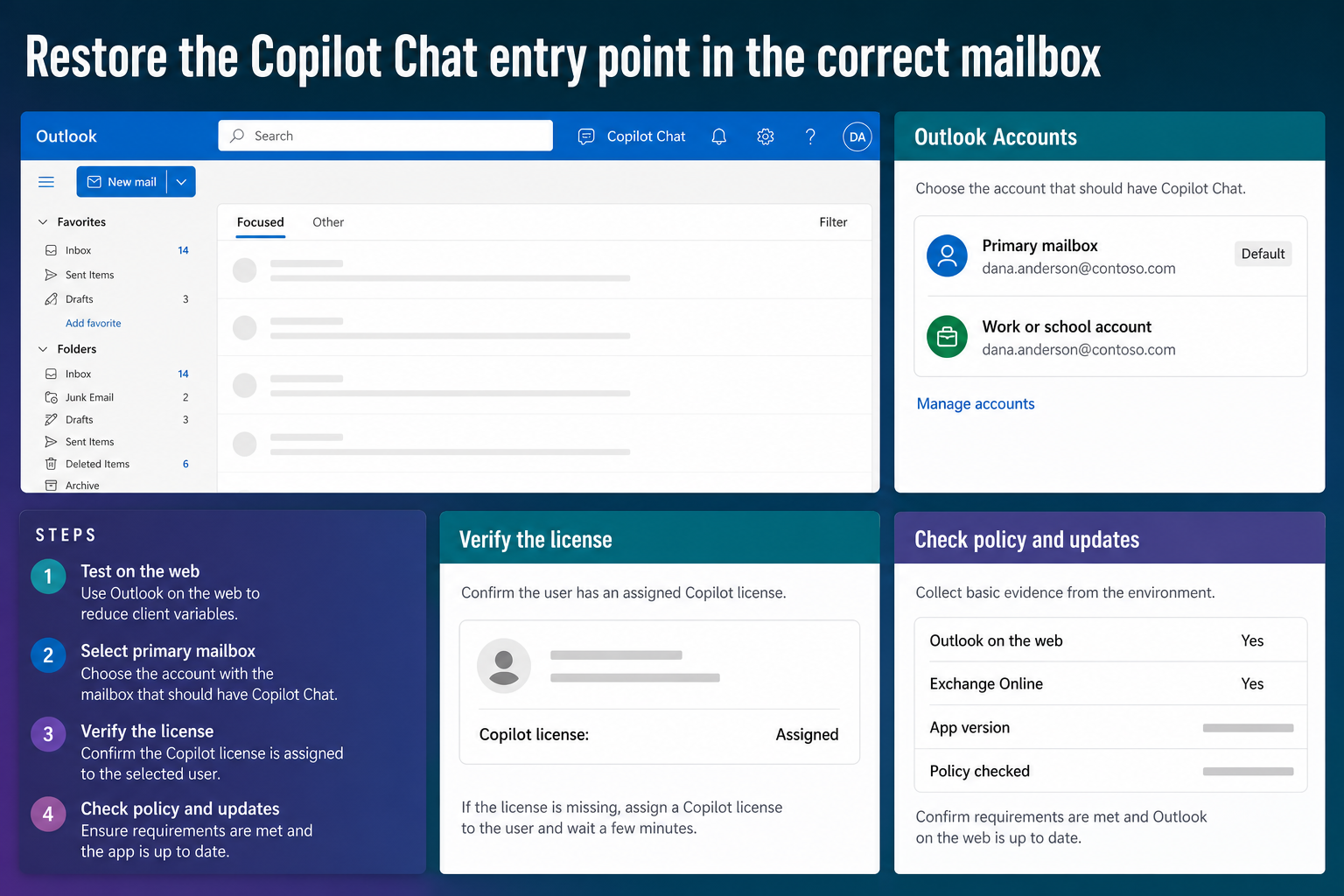
Use the web experience as the control test
Open Outlook on the web in a private browser window and sign in only with the affected work or school account. Microsoft states that chatting with Copilot in Outlook is available for work or school accounts in new Outlook for Windows and Outlook on the web.
If Chat appears on the web, the license and service are probably available and the desktop client becomes the focus. If it is missing on both surfaces, inspect the account, license, mailbox type, and administrator controls.
Confirm the primary mailbox
Copilot scenarios in Outlook are supported on a user’s primary Exchange Online mailbox, not archive, group, shared, or delegated mailboxes. Select the primary mailbox before judging whether the Chat entry point exists. A shared mailbox open in the main pane can make an available feature look absent.
The wider Copilot visibility checks help confirm the signed-in account and entitlement across Microsoft 365 apps.
Match the license to the signed-in account
Open the Microsoft 365 account page through your organization’s approved path and verify which account holds the Copilot entitlement. Microsoft recommends checking the correct account first when Copilot buttons are missing.
Sign out of unrelated personal identities inside Outlook only if they are confusing the primary-account state. Do not remove the work mailbox or clear all Windows credentials as an early test. On a managed device, licensing and app access can take time to refresh after assignment.
Refresh new Outlook without destroying the profile
Quit new Outlook completely and reopen it. Install current app and Windows updates through supported channels, then repeat the web comparison. Review the left app bar, More apps, and any Copilot button in the current interface; entry points can move as the product changes.
If Chat is present but Draft with Copilot is missing in a message, use the compose-feature diagnosis. Chat, drafting, summaries, and mailbox context have overlapping but different prerequisites, so one working feature does not prove every Outlook Copilot surface should appear.
Look for management boundaries
Ask the administrator whether Copilot Chat is assigned and allowed for the user, whether connected experiences are disabled, and whether the mailbox is hosted on Exchange Online. Capture the account address, Outlook surface, and result of the web control test.
A missing button that affects many users after a service or client change should be checked against Microsoft 365 service health. Avoid local reinstalls on every device until the administrator rules out a tenant-wide condition.
Distinguish missing Chat from missing mailbox context
Copilot Chat may be available elsewhere in Microsoft 365 while Outlook-specific context is unavailable. In Outlook, the feature works within documented mailbox limitations. Test a simple request about the selected primary mailbox only after the entry point returns.
Do not expose sensitive message content in screenshots sent to support. A cropped image of the app bar, account identity, and license/policy result is usually enough to show the missing surface.
A safe escalation packet
Provide the administrator with:
- the exact work or school account;
- whether Chat appears in Outlook on the web;
- whether the primary mailbox is on Exchange Online;
- whether another licensed Microsoft 365 app shows Copilot;
- new Outlook version and update channel;
- the time the license or policy was last changed.
This evidence separates user-interface caching from entitlement, mailbox, and organization-policy problems.
Copilot Chat availability questions
Why does Copilot work in Word but not new Outlook?
The apps use the same general entitlement but Outlook also has mailbox and account requirements. Verify the primary Exchange Online mailbox and work identity. A local file context in Word does not prove Outlook mailbox context is eligible.
Can Copilot Chat use a shared mailbox?
Microsoft’s Outlook FAQ states that Copilot scenarios are not available on shared and delegate mailboxes. Switch to the user’s primary mailbox for the supported experience rather than resetting the shared mailbox.
Should I switch back to classic Outlook?
For Outlook Chat, Microsoft identifies new Outlook for Windows and Outlook on the web as supported surfaces for work or school accounts. Use the web experience as a temporary control and troubleshooting path instead of assuming classic Outlook restores the same feature.
How long should I wait after a license assignment?
Propagation time varies, so record when the change was made and test again after signing out and back in through the approved process. If the web experience remains missing, the administrator should confirm the assignment and service health rather than repeatedly reinstalling Outlook.
Restore the supported path
The useful outcome is not just a visible icon. Confirm Chat under the licensed work account, with the user’s primary Exchange Online mailbox selected, on both web and new Outlook where expected. Keeping those conditions explicit prevents the next shared-mailbox view or personal-account sign-in from being mistaken for another outage.
Compare a known-good user carefully
When a colleague in the same organization sees Copilot Chat, compare only the conditions that matter: license type, primary mailbox hosting, Outlook surface, update channel, and applicable policy group. Copying their local app data or credentials is neither safe nor useful.
Use the same harmless prompt in Outlook on the web for both accounts. If the control exists for one user and not the other, the administrator can inspect assignment and policy differences. If both users lose it at the same time, service health or staged rollout becomes more plausible.
Do not treat a different button position as a failure. Microsoft 365 experiences evolve, and navigation can move. Confirm that the user can open Chat and work with the supported primary mailbox rather than requiring an old screenshot to match pixel for pixel.