When Copilot opens in Outlook but will not draft a reply, the problem is usually narrower than a broken Outlook profile. Copilot needs a readable message, the right mailbox context, an eligible account, and a compose surface where it can actually insert the draft.
Start by proving which of those pieces is failing. That is faster than signing out of every Office app or recreating the mailbox profile. If Copilot has only recently been assigned to the user, compare the account state with the Outlook Copilot activation checks before you change local settings.
Start with the message, not the profile
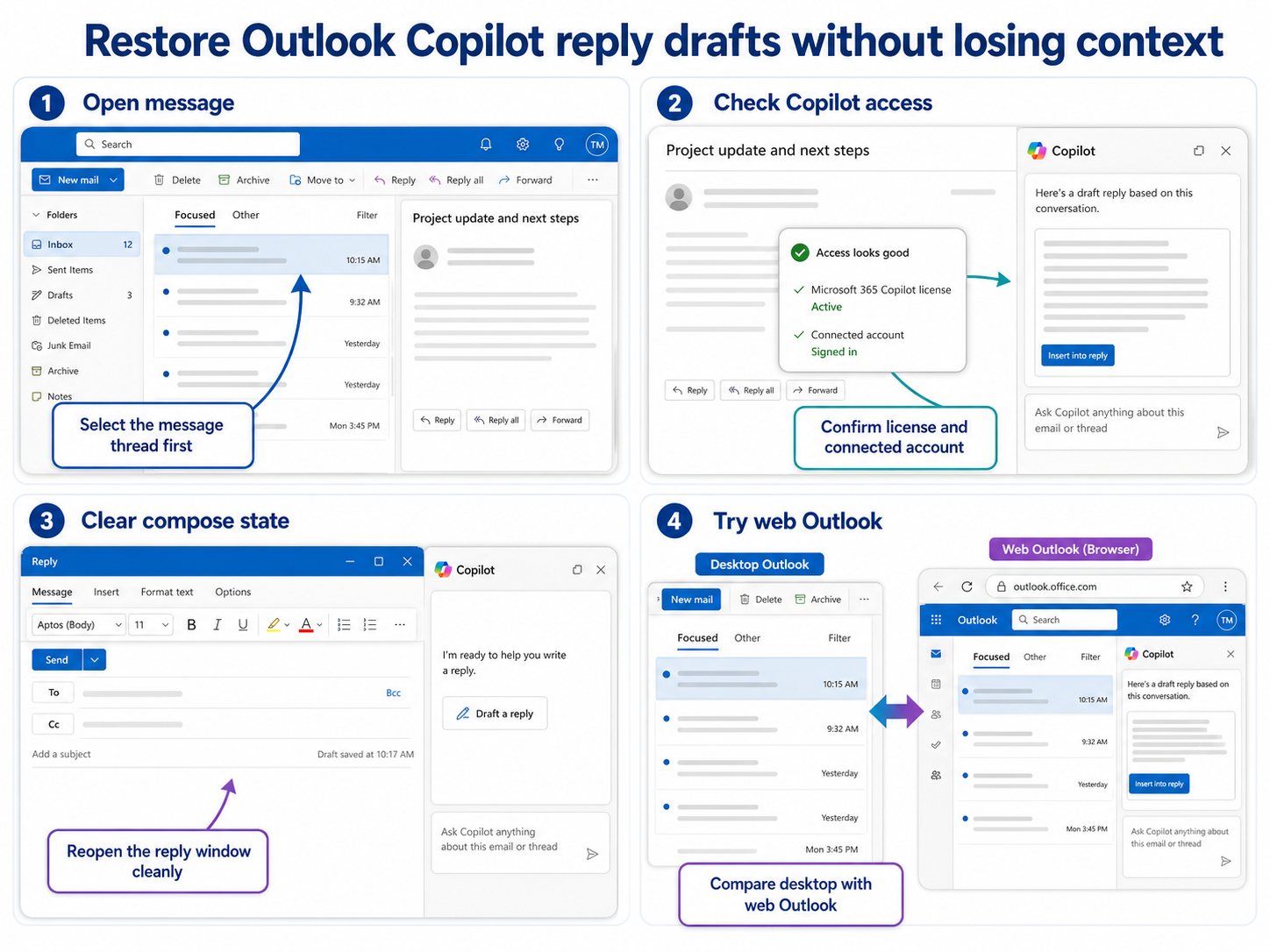
Open the exact email thread where Copilot refuses to draft a reply. Do not test with a different message yet, because the first clue is whether the issue follows the message or follows the user. A protected, encrypted, delegated, very old, or unusually long thread can fail while normal messages still work.
- Open a recent message from the primary mailbox and ask Copilot to draft a short reply.
- Try the same action on the problem thread without changing accounts.
- Confirm the message is not in a shared mailbox, archive mailbox, quarantine view, or delegated folder.
- Make sure the reading pane and reply window are both using the same Outlook account.
If Copilot drafts a reply for a normal message but not the original thread, keep the troubleshooting on that message or mailbox. If every message fails for the user, move to the account and client checks.
Check which mailbox Copilot is reading
Outlook can show several mailboxes in one window, but Copilot is not always working against the mailbox you think is active. Shared mailboxes, delegated inboxes, and multiple Microsoft 365 tenants are common sources of reply-drafting failures.
Switch to the primary mailbox, open a message that the user owns, and start a new reply from there. If that works, reopen the affected shared or delegated message from Outlook on the web and test again. A browser test removes most desktop cache and add-in problems from the result.
If the failure appears only in a shared mailbox, check whether the user has the permission needed to reply from that mailbox, not just read it. Visibility in the folder list is not enough evidence that Copilot can use the conversation as reply context.
Use Outlook on the web as the clean comparison
Before removing profiles or repairing Office, test the same mailbox and message in Outlook on the web. If Copilot drafts the reply there, the Microsoft 365 service and license are probably fine. The local Outlook session is then the likely issue.
- Close the desktop Outlook window completely.
- Open Outlook on the web in a private browser window.
- Sign in with the same work account that owns the mailbox.
- Open the same message and ask Copilot for a short reply.
- Return to desktop Outlook only after the web result is clear.
When the browser works and desktop Outlook does not, restart Outlook, disable nonessential COM add-ins in classic Outlook, and confirm the user is not mixing work and personal accounts in the Office profile. If Copilot is generally slow or unresponsive across Microsoft 365, use the broader Copilot response checks as a second pass.
When the account is the blocker
If Outlook on the web fails for the same message and same account, stop treating the issue as a local Outlook problem. Check the user license, Copilot availability, mailbox type, and tenant policy. Also confirm the feature is available in that Outlook experience, because new Outlook, classic Outlook, and mobile Outlook do not expose every Copilot action in the same way.
For admin escalation, collect the user account, mailbox name, message location, Outlook version, browser result, and the exact time of the failed test. That gives the administrator something specific to check instead of a vague report that Copilot is broken.
Questions before you rebuild Outlook
Why does Copilot draft one reply but not another?
The failed message may be in a shared mailbox, delegated folder, encrypted thread, archive location, or conversation that Copilot cannot use as clean context. Compare it with a simple recent message from the primary mailbox before changing the profile.
Why does it work in Outlook on the web but not desktop Outlook?
That usually points to the local Outlook session: cached account tokens, add-ins, stale panes, or a mixed account profile. Keep the server-side settings unchanged and focus on refreshing the desktop app.
Should I recreate the Outlook profile?
Only after the browser works, other messages work, and a normal Outlook restart does not help. A profile rebuild can hide the original cause and is slower than proving whether the mailbox, message, or desktop client is responsible.
The useful fix is to keep the test small: one account, one mailbox, one message, and one web comparison. Once you know where the reply drafting breaks, the next change is usually obvious.