Claude’s API bills per token processed, which means every unnecessary word in your prompts and responses adds up fast across hundreds of daily requests. Learning to optimize and save Claude tokens keeps projects affordable without sacrificing the quality of responses you receive. This guide covers the configuration settings, prompt engineering patterns, and monitoring practices that cut token consumption by 40-70% on typical workloads.
Prerequisites for Claude Token Cost Savings
Before configuring token optimization, confirm you have these essentials in place:
- Active Claude API account through console.anthropic.com or a Claude Pro/Team subscription with usage tracking enabled
- Working knowledge of how Claude processes input tokens (your prompts and context) versus output tokens (Claude’s responses)
- Access to your organization’s usage dashboard for recording baseline consumption data before making changes
Configure Claude Token Settings
Set Up the Usage Dashboard
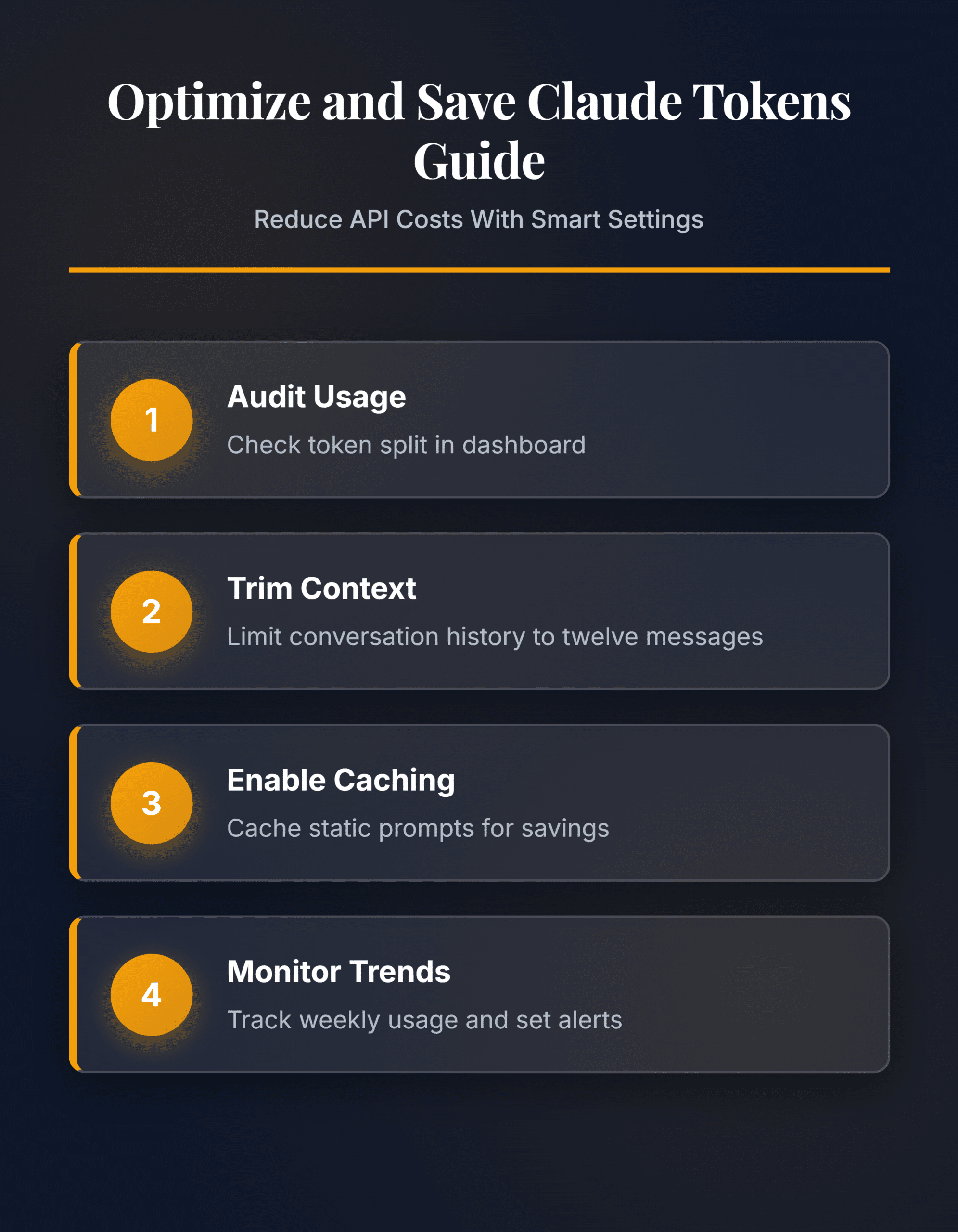
Open console.anthropic.com and navigate to Settings > Usage. This dashboard displays your daily and monthly token consumption broken down by model tier. Record your current spending pattern before making any changes so you have a clear baseline for measuring improvements after each optimization step.
Review the split between input and output tokens carefully. Input tokens typically account for 60-80% of total usage because they include your system prompt, full conversation history, and the actual user message on every single request. Output tokens cover only Claude’s generated response text. Knowing this split tells you exactly where to focus your efforts—most savings come from reducing input tokens rather than limiting response length. If you notice troubleshooting Claude freezing and crashing issues affecting your workflow, resolve those performance problems first before tuning token configuration settings.
Adjust Claude Context Windows
Every conversation with Claude carries forward the full message history as context. A 20-message conversation resends all previous messages as input tokens with each new request, which compounds costs rapidly over longer sessions. Configure your application to trim older messages once they pass a useful threshold.
Set a maximum context window of 8-12 messages for most use cases. Archive or summarize earlier messages rather than sending the raw transcript each time. A summarized conversation history uses 80% fewer tokens than the full text while preserving the essential context Claude needs for coherent responses. Test different window sizes with your specific workflow to find the right balance between context quality and token savings. Customer support applications benefit from aggressive trimming, while coding assistants may need longer windows to maintain full project context across multiple exchanges.
Apply Prompt Optimization Templates
Write system prompts that give Claude clear, specific instructions without redundant phrasing. Replace vague directions like “write something good about this topic” with structured templates that define the exact format, length, and constraints you need from each response.
- Create reusable prompt templates for your five most common request types
- Remove any instructions that duplicate Claude’s default behavior
- Set the
max_tokensparameter to cap response length for each specific use case - Use bullet points and structured formatting in prompts instead of lengthy prose paragraphs
- Test each template with sample inputs to verify it produces the expected output quality
A well-structured template cuts input tokens by 30-50% compared to freeform prompting. Store your optimized templates in a shared library so every team member uses the efficient version. Review and update templates monthly as your requirements evolve—stale templates accumulate unnecessary instructions that quietly inflate token costs over time.
Advanced Claude Token Strategies
Enable Claude Prompt Caching
Prompt caching stores your system prompt and repeated context so Claude avoids reprocessing those tokens on every request. Enable caching by adding the cache_control parameter to static portions of your prompt payload. This works with system prompts, tool definitions, and any context block that stays identical across multiple consecutive API calls.
Cached tokens cost 90% less than fresh input tokens after the initial cache write. The cache persists for 5 minutes by default, making it ideal for applications where users send multiple messages in quick succession. Monitor your cache hit rate in the usage dashboard—a rate below 50% means your prompt content changes too frequently between requests to benefit from caching, and you need to restructure prompts to separate static sections from dynamic ones. You can export your Copilot chat history to study conversation patterns across AI tools and identify which prompt sections remain constant enough to cache effectively. Restructuring prompts so the first 80% stays static and only the final portion changes per request maximizes cache hit rates dramatically.
Monitor Token Consumption Trends
Track your token usage weekly to catch unexpected spikes before they affect your budget. The Claude API returns token counts in every response under the usage field, which includes input_tokens and output_tokens values for each individual request you make.
Build a logging layer that records these values per request. Group the data by prompt type, user, or application feature to pinpoint which workflows consume the most tokens. Common culprits include overly broad system prompts, conversations running without context trimming, and responses that exceed necessary length because max_tokens was never configured. Set up alerts when daily token usage exceeds 120% of your rolling seven-day average—this catches configuration drift and prompt regression early before costs escalate. Review consumption metrics monthly and adjust your prompt templates, context windows, and caching configuration based on actual usage data rather than assumptions about what should work.
Common Questions
Why is my Claude token usage higher than expected?
High token usage usually stems from conversation history accumulating without any trimming applied. Each message in a conversation resends all previous messages as input tokens, which grows costs quadratically over longer sessions. Configure context window limits and summarize older messages to fix this permanently. Also check whether your system prompt contains unnecessary instructions that inflate every single request sent to the API.
How do I fix Claude token optimization not working?
Verify that prompt caching is properly enabled with the `cache_control` parameter on your static prompt sections. Check the cache hit rate in your usage dashboard—rates below 50% indicate cached content changes too frequently between requests. Confirm that `max_tokens` is set on each API call and that context window trimming is active in your application code rather than just planned.
What is the fastest way to reduce Claude token costs?
Enable prompt caching first since it delivers the largest immediate savings at 90% reduction on cached input tokens. Then set `max_tokens` to limit response length on every request, and implement context window trimming to prevent conversation history from growing unbounded. These three configuration changes together typically reduce total token costs by 40-70% within the first week of deployment.
Token optimization settings compound over time as your team builds better habits around efficient prompting. Start with prompt caching and context window limits for immediate savings, then refine your templates and monitoring setup as usage patterns become clearer across your applications.